itsFM Logo
latest

Examples!

  • Basic Examples
    • Bat call example
      • Separating the constant frequency (CF) and frequency-modulated parts of a call
      • Verifying the CF-FM segmentations
      • The underlying frequency profile of a sound
      • The underlying frequency modulation rate
      • Performing measurements on the CF and FM parts of a call
      • Defining custom measurements
    • Segmenting with the PWVD method
      • How does it work?
      • Note
      • References
    • The peak-percentage method
      • How does it work?
      • Verifying the CF-FM segmentations
        • Low/high passed audio profiles
    • Finding the right parameter setting with the call zoo
    • Bird song example
      • Note
      • Setting the correct signal level
      • Setting a non-default FM rate
    • Setting the correct max_acc value
      • An example frequency profile
    • Inbuilt and custom measurements on CF and FM segments
    • Segmenting real-world sounds correctly with synthetic sounds
      • Synthetic calls to the rescue
      • Generating a ‘classical’ CF-FM bat call
      • A multi-component bird call
      • Let there be Noise
  • Detailed Examples Gallery
    • ‘Difficult’ example
      • Step 1: the right signal_level
      • How the CF-FM segmentation works
      • Step 2: Check the fmrate profile
      • Step 3: Set a relevant fmrate_threshold
        • Summary

Using itsfm without coding:

  • itsfm without coding
    • Running a batch file analysis
      • Outputs from a batch file analysis
      • The batch file
      • A simple batch file
      • A batch file is extensible
      • Each row is independent
      • Skip a row
      • Run only a single row
      • Running parts of a batchfile
      • Measurement file already exists
    • Suppressing the ‘..already exists’ error
      • Which argument/s can be specified?

itsfm Accuracy

  • Accuracy Reports
    • CF-FM call segmentation accuracy
      • What happened before
      • Comparing the synthetic and the obtained results
        • Peak-percentage method accuracy
      • Putting it all together: PWVD vs peak percentage
        • Troubleshooting the ‘bad’ fixes - what went wrong?
      • Some bad PWVD identifications
        • Making some corrections to the PWVD output
    • Running CF-FM call segmentation
      • Dataset creation
      • It can take long
        • FM rate based segmentation
        • Peak-percentage based segmentation
    • Generating the CF-FM synthetic calls

Errors

  • Common Errors
    • 1. Bad signal_level
    • 2. Bad signal_level
    • 3. Bad signal_level or window_size
    • 4. Bad signal_level or window_size
    • Anomaly spans whole array

API reference:

  • API : The user interface
  • API : Segmenting sounds into CF and FM
  • API: Measuring sounds
    • Measurement functions
      • What is a measurement function:
        • Measurement function parameters
        • What needs to be returned:
  • API : Viewing sounds, parameters and results
  • API: support modules
    • Frequency tracking
      • The Pseudo Wigner Ville Distribution
    • Signal processing
    • Signal cleaning
    • Batch processing
itsFM
  • Docs »
  • Detailed Examples Gallery
  • Edit on GitHub

Detailed Examples Gallery

This is a collection of detailed and more technically oriented examples illustrating the effect and role of various parameters on the effectiveness of frequency tracking and CF-FM segmentation.
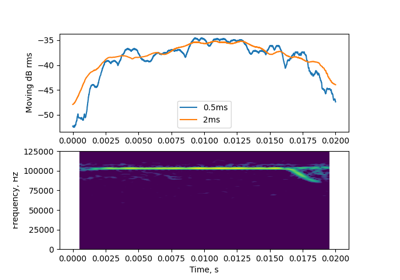
../_images/sphx_glr_plot_0_detailed_thumb.png

‘Difficult’ example

Download all examples in Python source code: gallery_detailed_python.zip

Download all examples in Jupyter notebooks: gallery_detailed_jupyter.zip

Gallery generated by Sphinx-Gallery

Next Previous

© Copyright 2020, Thejasvi Beleyur Revision 750922c0.

Built with Sphinx using a theme provided by Read the Docs.